Cover, Summary or
Work Experience. Made Easier with AI.
Use AI to create a cover and write clearer Summary and Work Experience descriptions.
Create Your AI
Cover, Your Way
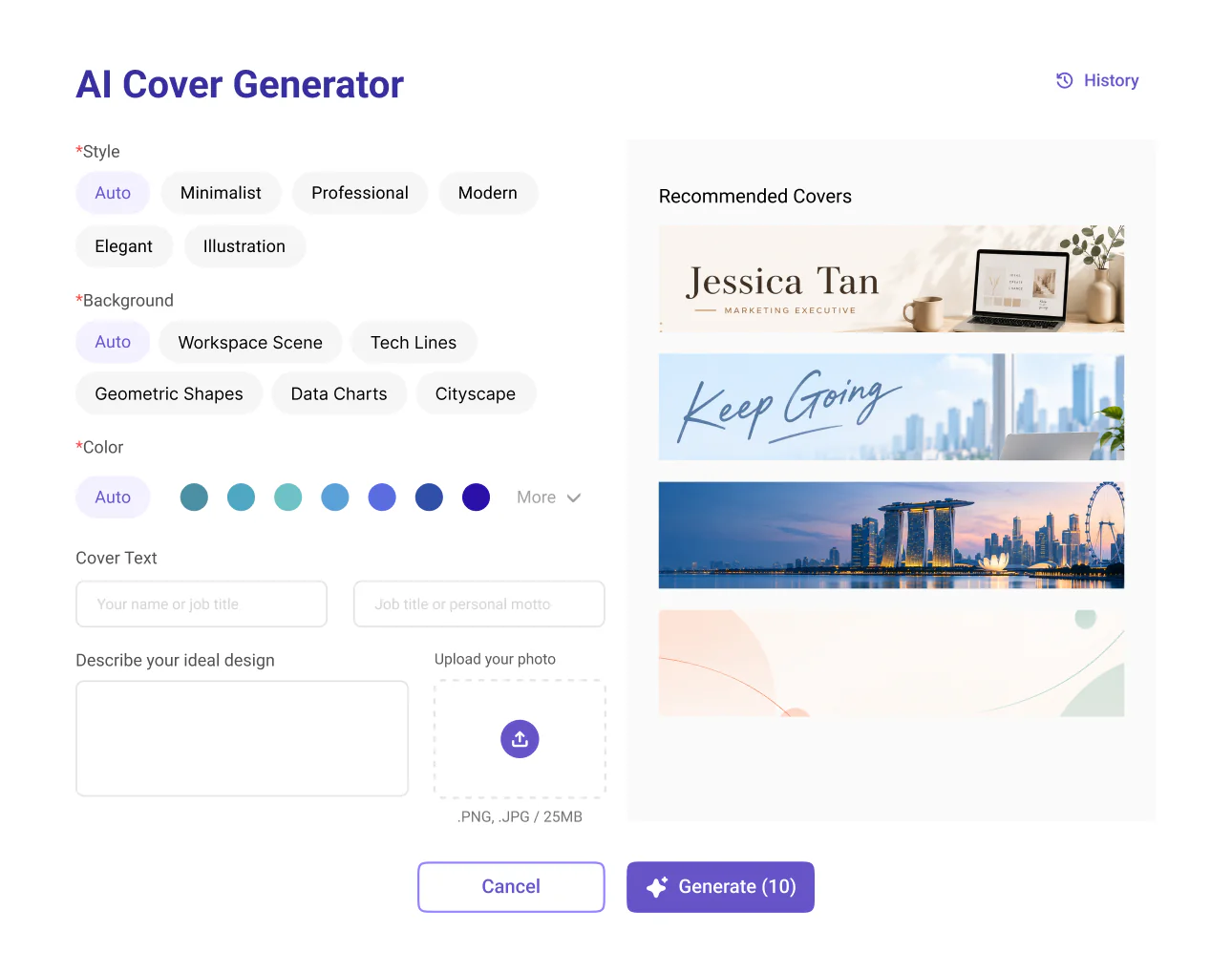
Generate a cover in just a few clicks or customise the style, background and colours to reflect your professional identity.
Create a Cover in a Few Clicks
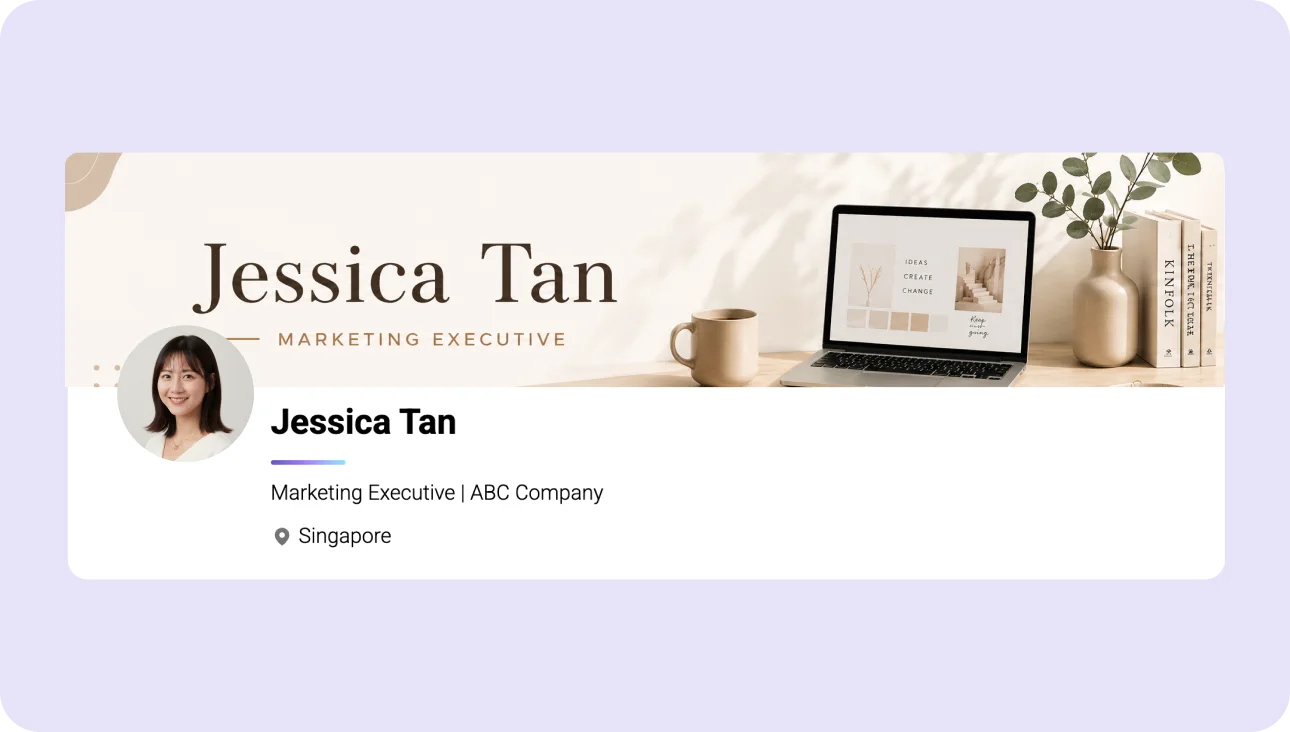
Generate a unique cover for your Gengen Profile with AI. No design experience needed.
Make Your Cover Your Own
Customise the style, background and colours to create a cover that reflects your professional identity.
Add a Personal Touch
Include a title, subtitle, description or your own image to make your cover more personal.
Not Sure What to Create? Here are some ideas to get you started.
Showcase your name with a clean, minimalist background to create an instantly recognizable personal brand.
Showcase your best work so others can instantly recognize your expertise.
Use a representative photo of you at work that tells your story visually.
Add a personal motto, slogan, or inspirational quote to showcase your values and positive outlook.
Add warmth and personality with a simple collage or interest-inspired background.
Choose your favorite image from the AI Cover Generator's recommended covers.
Personal Branding
Professional Showcase
Work Scene
Motto and Inspiration
Lifestyle and Interests
Choose from Recommended Covers
Showcase your name with a clean, minimalist background to create an instantly recognizable personal brand.
Showcase your best work so others can instantly recognize your expertise.
Use a representative photo of you at work that tells your story visually.
Add a personal motto, slogan, or inspirational quote to showcase your values and positive outlook.
Add warmth and personality with a simple collage or interest-inspired background.
Choose your favorite image from the AI Cover Generator's recommended covers.
What Can You
Generate with Gen
by AI?
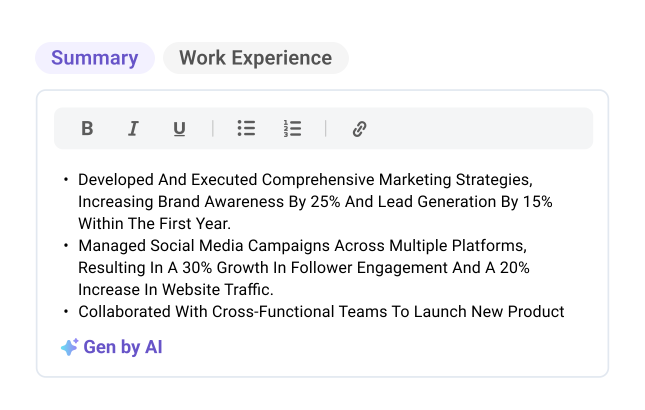
Generate professional summaries and work experience descriptions using the information you've already added to your Profile.
Write Your Summary with AI
Create a professional summary that highlights your background, skills and career goals.
Describe Your Work Experience with AI
Turn your responsibilities and experience into clear, well-structured descriptions.
Stay in Control of Your Content
Edit the generated text yourself or revert to your original version if it doesn't suit you.
FAQs
AI Cover
Is Gengen AI Cover Generator free to use?
Yes! You can generate up to 10 AI covers per day for free.
Do I need design skills to create an AI cover?
No design skills are needed. Simply choose your preferences and let AI handle the design.
Do I need a Gengen Profile?
Yes. You'll need a Gengen account and Profile, as the AI Cover Generator is built directly into your Gengen Profile.
How can I get better cover results?
Choose your preferred style, background and colours. You can also add a design description or upload an image to help guide the AI towards your preferred result.
Can I upload my own image?
Yes. You can upload one JPG or PNG image (up to 25 MB) to help personalise your AI cover.
Can I generate a new cover?
Yes. You can adjust your preferences and generate another design, subject to the daily limit of 10 covers.
Gen by AI
What is Gen by AI?
Gen by AI is a free AI writing feature within Gengen that helps you create Profile Summaries and Work Experience Descriptions using your existing Profile information.
Is Gen by AI free to use?
Yes! Gen by AI is available for free on Gengen.
Can I start without a draft?
Yes. You can use it to generate a first draft or try a new version of your existing writing. Adding relevant Profile information helps provide context for the generated content.
Does Gen by AI use my Profile information?
Yes. Gen by AI uses information you've added to your Gengen Profile, such as your work experience and other professional details, to help generate relevant descriptions.
Can I edit the AI-generated content?
Yes. You can edit the generated Summary or Work Experience Description directly in its text field, including adding your actual achievements, results and other details.
What if I don't like the generated result?
Click Revert to restore your original writing. If you'd like another AI-generated version, you can click Gen by AI again after reverting.